Reporting your field team actually files, and you can trust
Built for pharma — doctors, chemists, stockists, secondary sales and the people who visit them. An offline-first app for the rep, a web console for managers and head office, and one database underneath both.
Access is managed by your organisation's single sign-on. FieldForce stores no passwords.
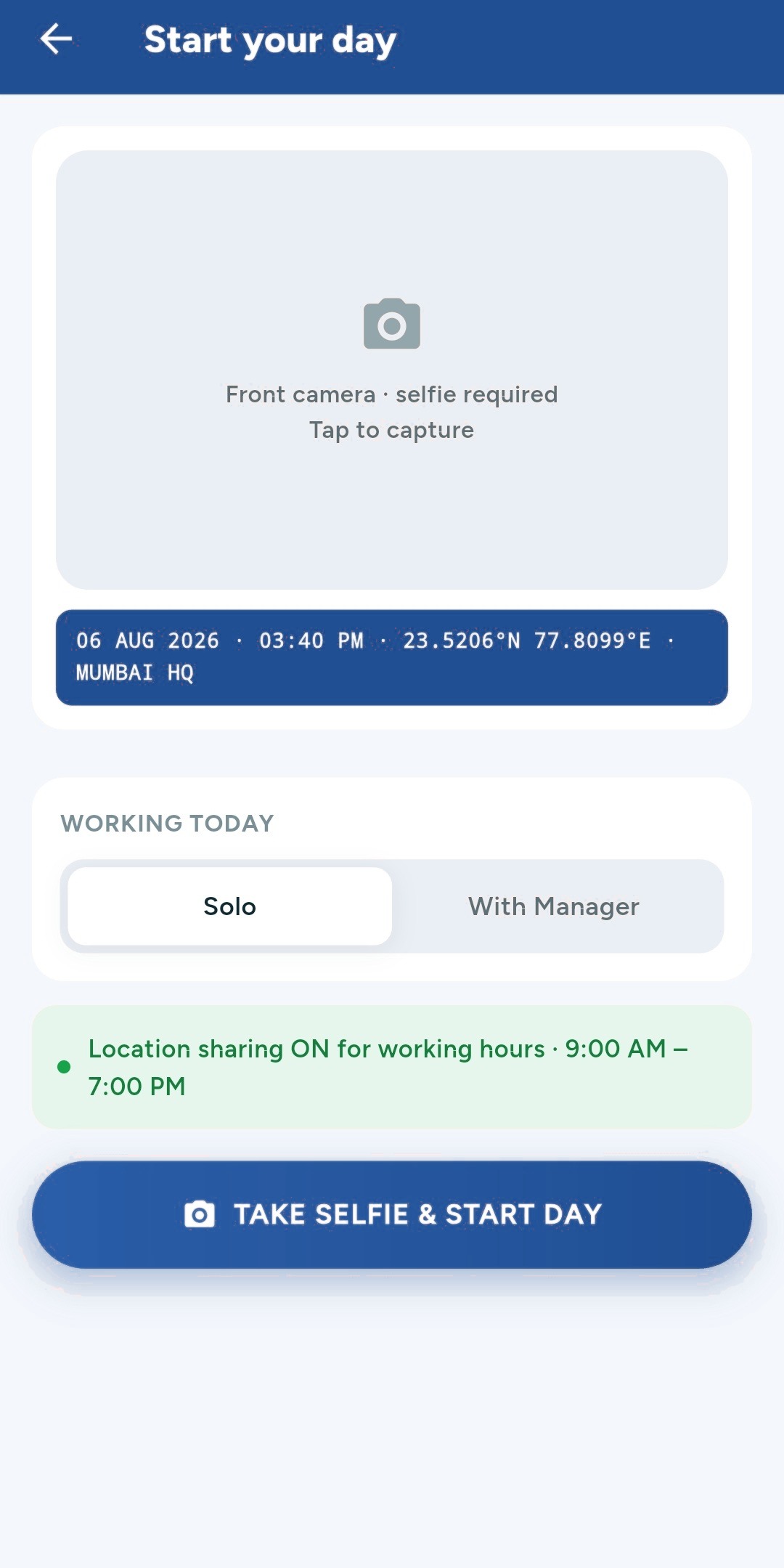
Day start — a selfie and a stamped location, before the first call.
What field-force teams tell us
Reports arrive. Trust does not.
Call reports are filed on time and look complete. Whether the visit happened as described is a different question, and most systems cannot answer it.
Secondary sales arrive weeks late.
Distributor files land in a dozen formats and get reconciled by hand. By the time the picture is complete, the month it describes is over.
Managers collect instead of coaching.
An ASM's week goes into chasing reports and checking expense claims — the work that adds least — while the reps who need help wait for month-end.
The role is detected at sign-in
Everyone signs in through the same provider. FieldForce reads the role from your organisation's directory and opens the matching home screen, navigation and permissions.
Sales Executive
Start the day with a location-stamped check-in, follow the tour plan, detail products and file reports from the customer's premises.
- Day start and daily call report
- Tour programme and day plan
- Samples, orders and targets
Manager — ASM, ZSM, NSM
Approve tour programmes and reports, follow the team on a live map, and track target against achievement down the hierarchy.
- Tour programme and report approvals
- Live team map and route trails
- Hierarchy targets and attainment
Administrator
Own the master data, tag customer locations and set their geo-fences, and see every user across zones.
- Users, customers and products
- Geo-tagging and fence management
- Organisation-wide live tracking
The day is filed as it happens
Not typed up at night from memory. Day start, the call plan, the detailing and the report all happen at the doctor's door — and all of it works with no signal.
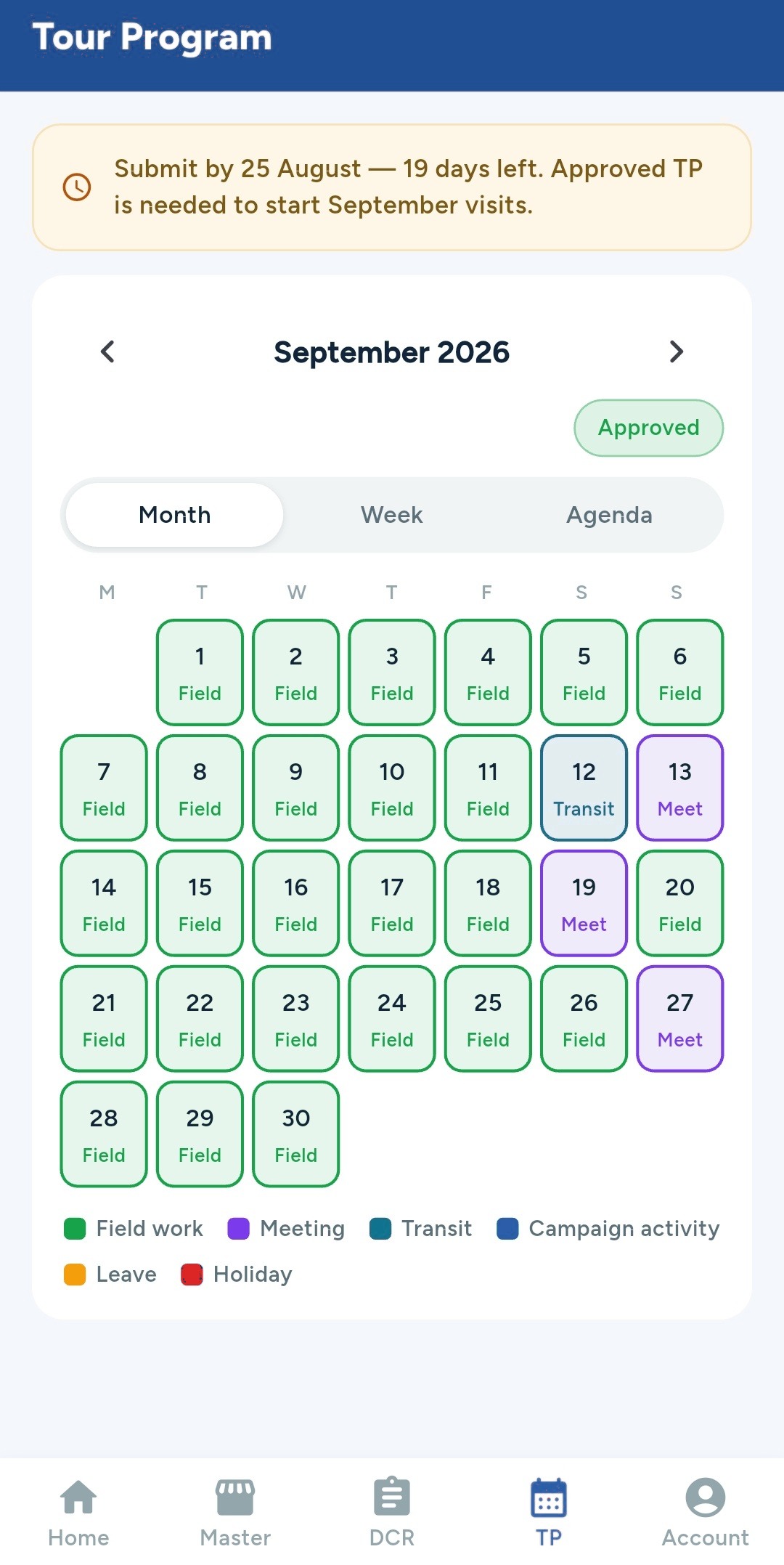
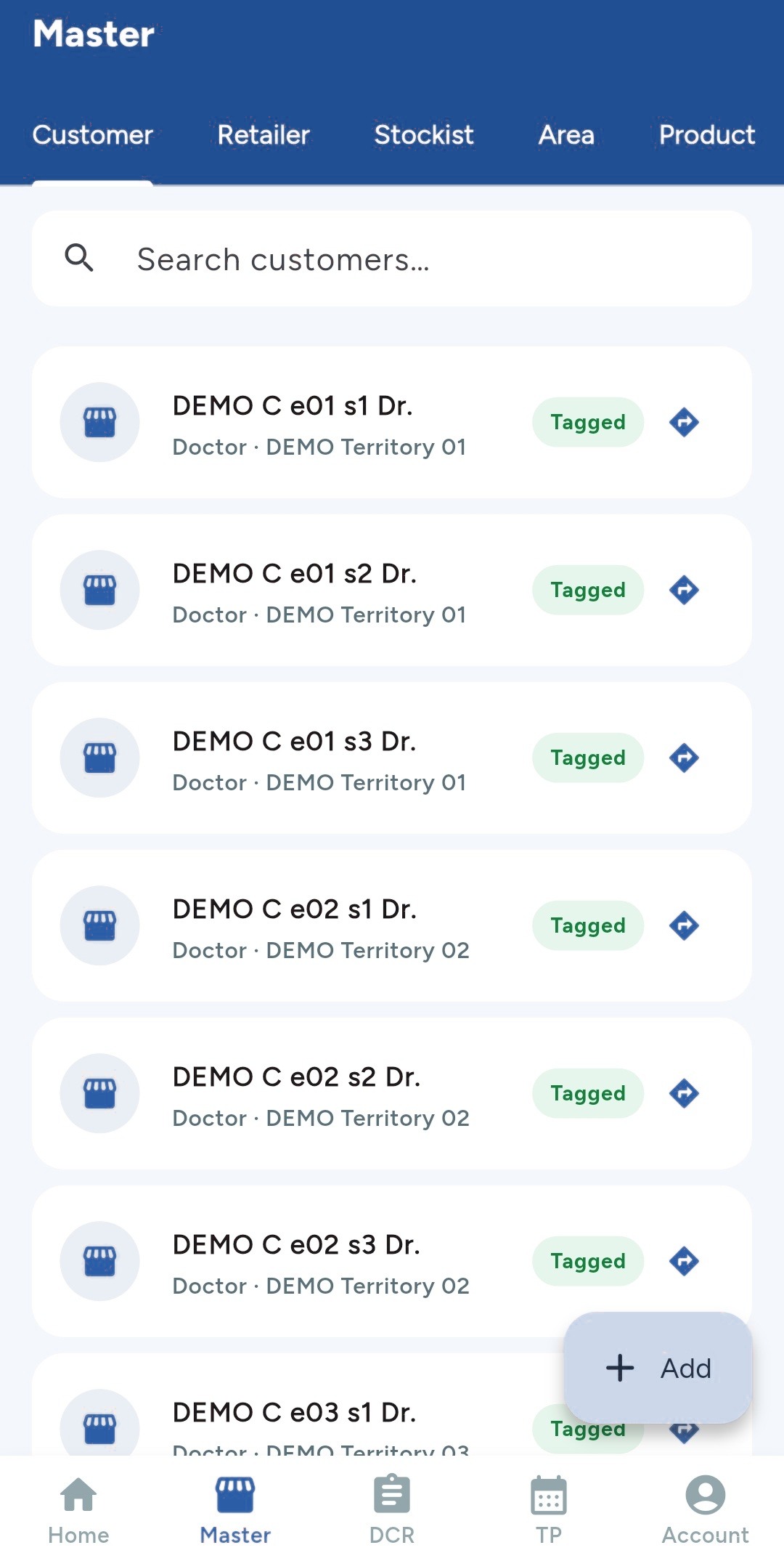
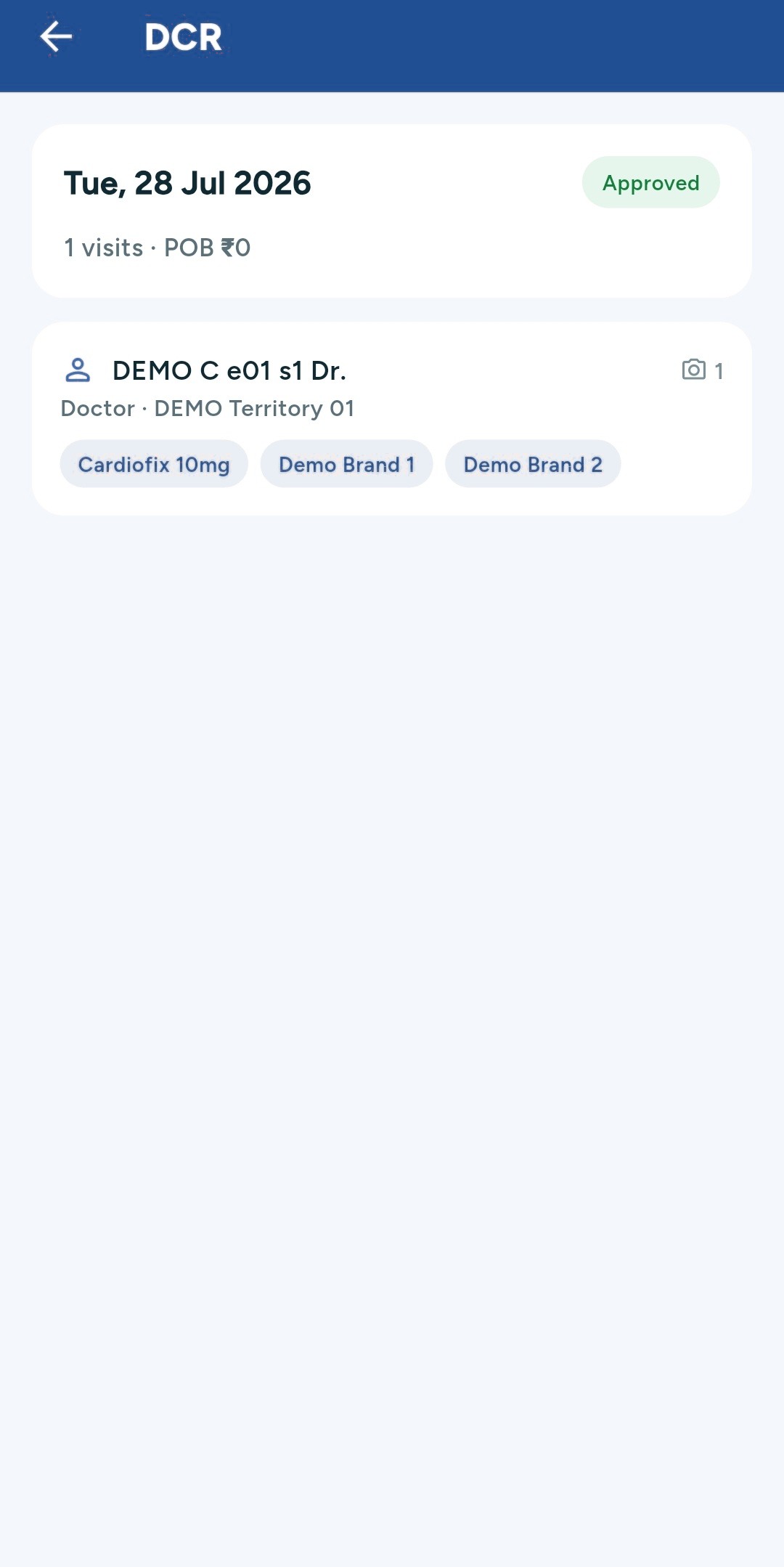
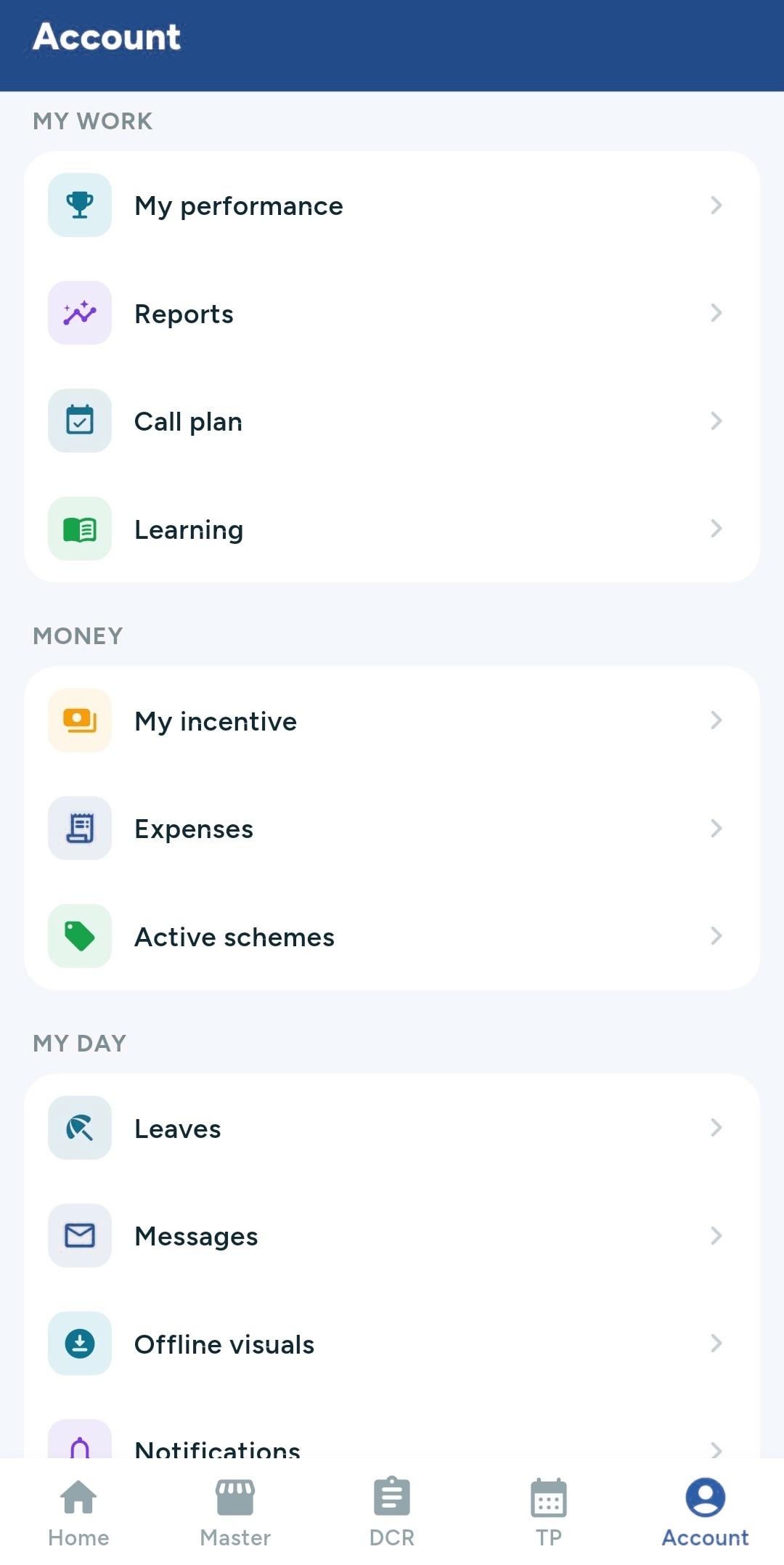
Screens from the shipped Android application, captured in a demonstration environment.
Was the report filed where it says it was?
Apps that fake GPS for field-force software are free, popular, and well known to reps. Most systems record a latitude and longitude and trust whatever the phone reports.
Mock location
Whether the fix came from a real provider or a spoofing app.
Fix accuracy
A two-kilometre-wide fix is not a visit to a clinic. Geofences account for it.
Device clock
Timestamps are bounded by the server, so a changed phone clock does not move a visit.
Nightly scoring
Each rep-day is scored, and only the days worth a conversation are surfaced.
It does not accuse anyone. It surfaces the days that do not add up, so a manager can ask — and most of the time there is a good answer.
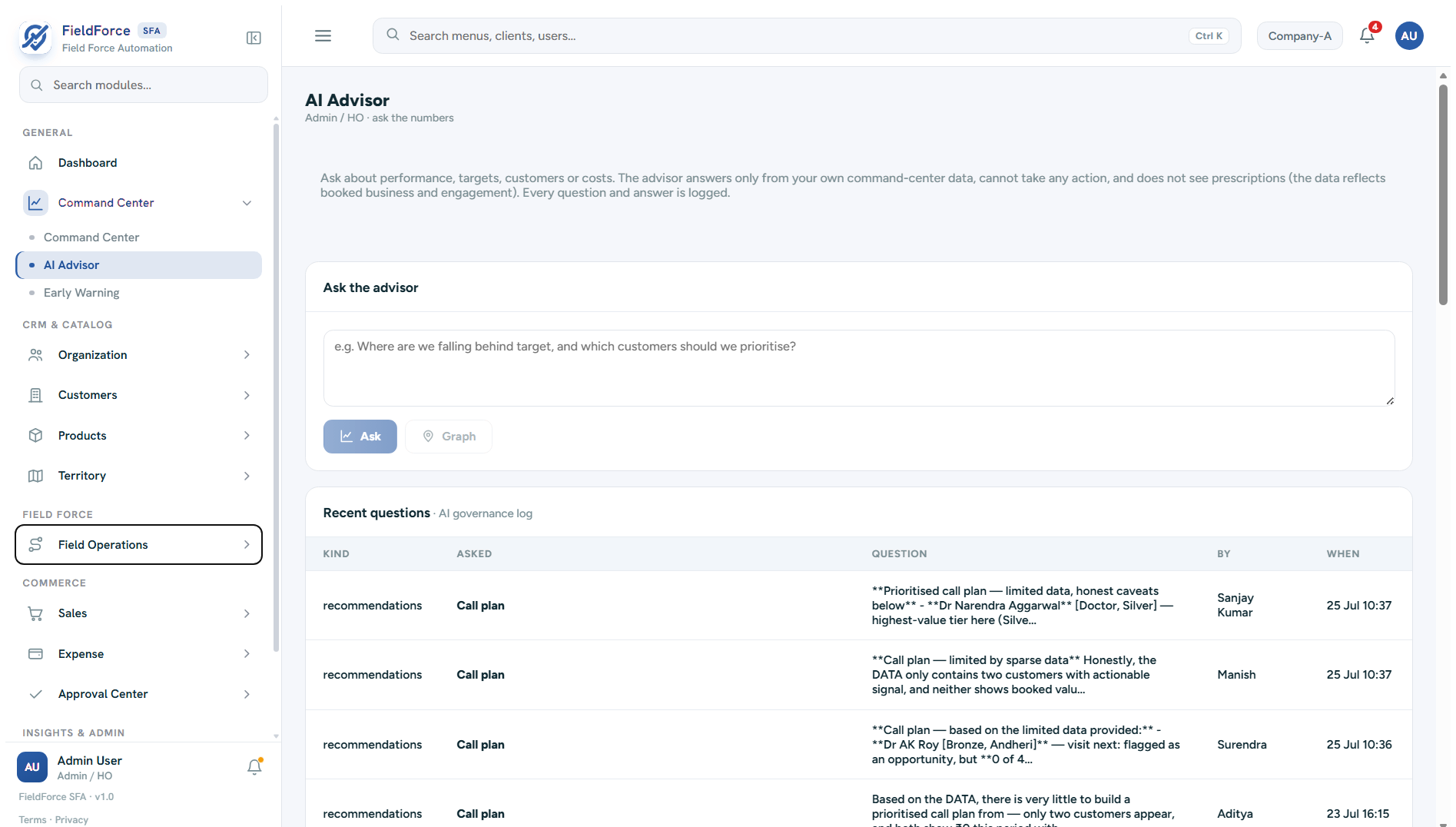
Ask the numbers directly
- Plain language Ask about performance, targets, customers or cost, without building a report first.
- Your data only It answers from your own command-centre data, and it cannot take any action.
- Every question logged A governance log records who asked what, and when — because an assistant nobody can audit is one nobody should trust.
Built for how field days actually run
Geo-fenced reporting
The submit button stays locked until the executive is physically within the customer's tagged radius, so a report is evidence of a visit rather than a claim about one.
Live team map
Managers see their own executives in real time and administrators see everyone, with current status, route trails and idle flags.
Tour-programme approvals
Monthly plans move up the NSM, ZSM and ASM chain, where they can be approved, edited or sent back with a change request.
Offline-first sync
Reports, attendance and orders are captured on the device and sync automatically, with a clear indication of what is still pending.
Secondary sales in hours, not weeks
Distributors send whatever their billing software produces. FieldForce learns each layout once, then reads next month's file without anyone mapping a column again.
Upload
Distributor files in whatever format they already send — no template to impose on them.
Match
Their product names mapped to yours, with every alias learned and remembered.
Reconcile
Totals checked against the report's own, and anything unmatched shown before it counts.
Commit
Reversible. Nothing is written until the reconciliation is accepted.
The reconciliation step is the point. An import that silently guesses at unmatched products produces numbers nobody trusts twice.
Fits what you already run
Your ERP, as it happens
- Orders and call reports pushed on the event, not in a nightly file.
- Signed payloads, with automatic retry and backoff.
- Anything undeliverable is dead-lettered and visible, never dropped quietly.
Cloud, or your own server
- Run it hosted, or entirely inside your own network.
- Enterprise customers can have a dedicated database and a dedicated server.
- Moving from shared to dedicated does not mean starting again.
Ready to run your field day?
Sign in with your organisation account. There is no separate password to manage — access is granted and revoked by your company's single sign-on.
Do not have access yet? Register your company, or ask your administrator to add you.